
Motorola Power Adapter and Charger Part Number Guide
Motorola and Vertex Standard power adapters can look nearly identical while supplying different amounts of power. Use this guide to compare the part number, DC output, and connector printed on the adapter label before ordering a replacement.
The quickest way to identify your adapter
- Find the part number on the label.
- Read the OUTPUT line and match both the voltage and amperage.
- Confirm the connector and the Motorola equipment being powered.
Quick Output Comparison
The lowest-current adapter in this guide.
Includes several older or alternate Motorola and Vertex numbers.
Used with the TLK 100 and other approved Motorola devices.
Do not substitute this adapter for a 5V model.
Motorola Adapter Part Number Chart
| Part Number | Alternate Number | Input | Output | Identification Notes |
|---|---|---|---|---|
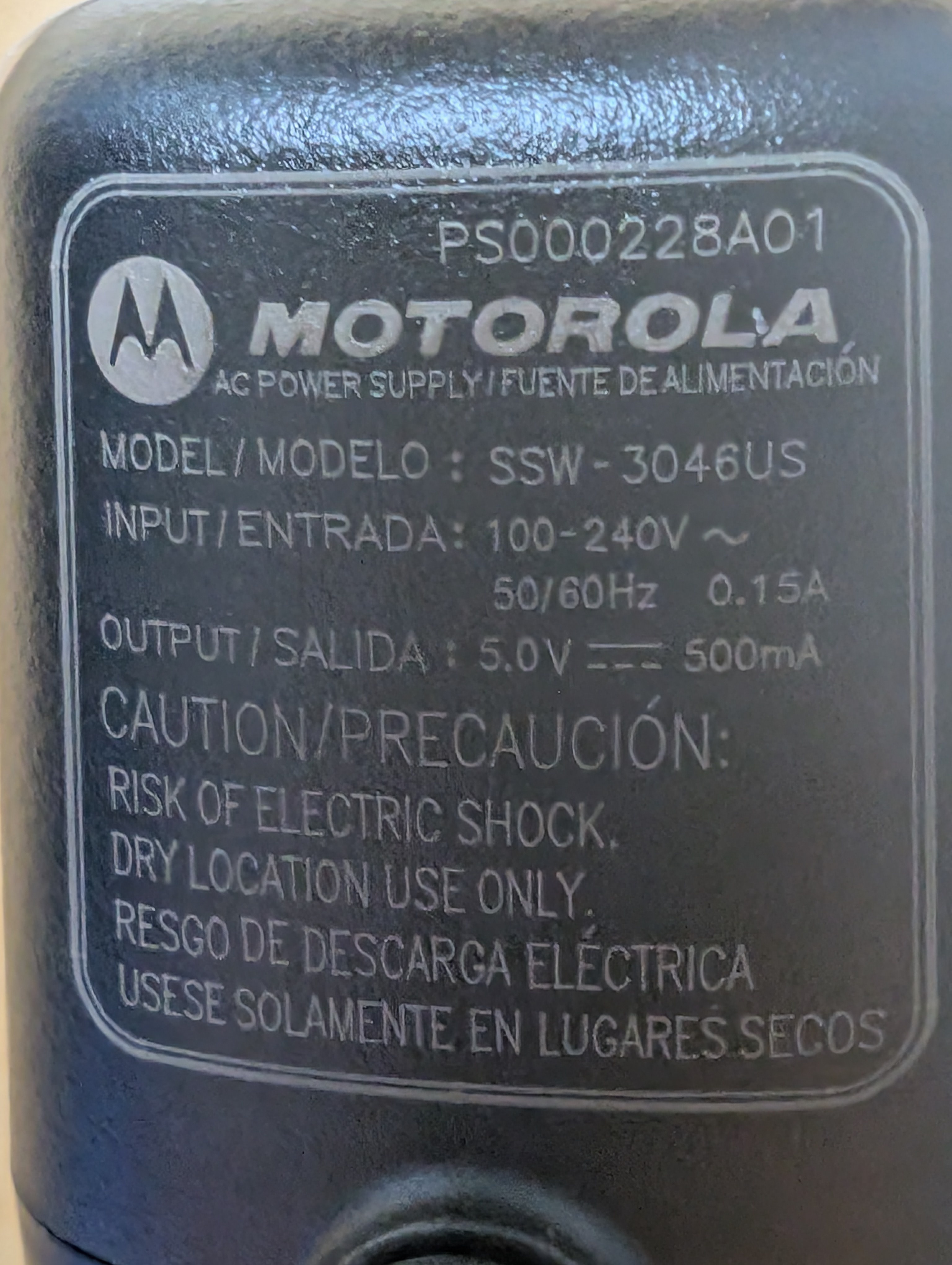
| PS000228A01 | Model SSW-3046US | 100–240V AC, 50/60Hz, 0.15A | 5V DC, 500mA | Micro-USB power supply. Use only where the 500mA model is specified. |
| PS000227A11 | Replacement for 25009298001 | 100–240V AC, 50/60Hz, 0.25A | 5V DC, 1A | Micro-USB power supply for approved Motorola radio and charging applications. |
| 25009298001 | Older Motorola number; commonly associated with PA-57B | 100–240V AC, 50/60Hz | 5V DC, 1A | Older part number replaced by PS000227A11. |
| PS000042A11 | PA-57B / AAL92X002 | US AC wall plug | 5V DC, 1A | Vertex Standard Micro-USB AC charger. Confirm the complete number printed on the label. |
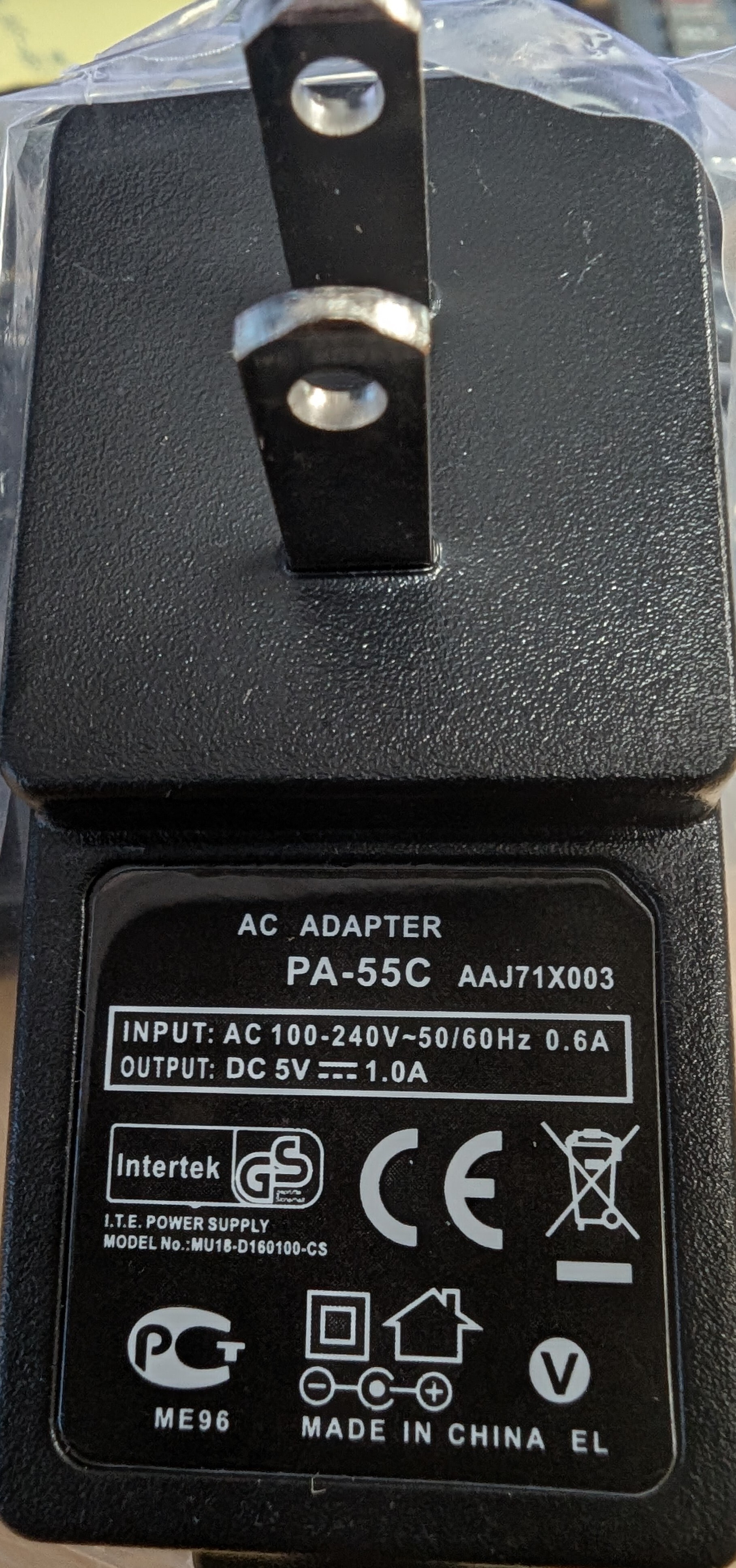
| PA-55C | AAJ71X003 | 100–240V AC, 50/60Hz, 0.6A | 5V DC, 1A | US-plug transformer used with compatible Motorola and Vertex charging equipment. |
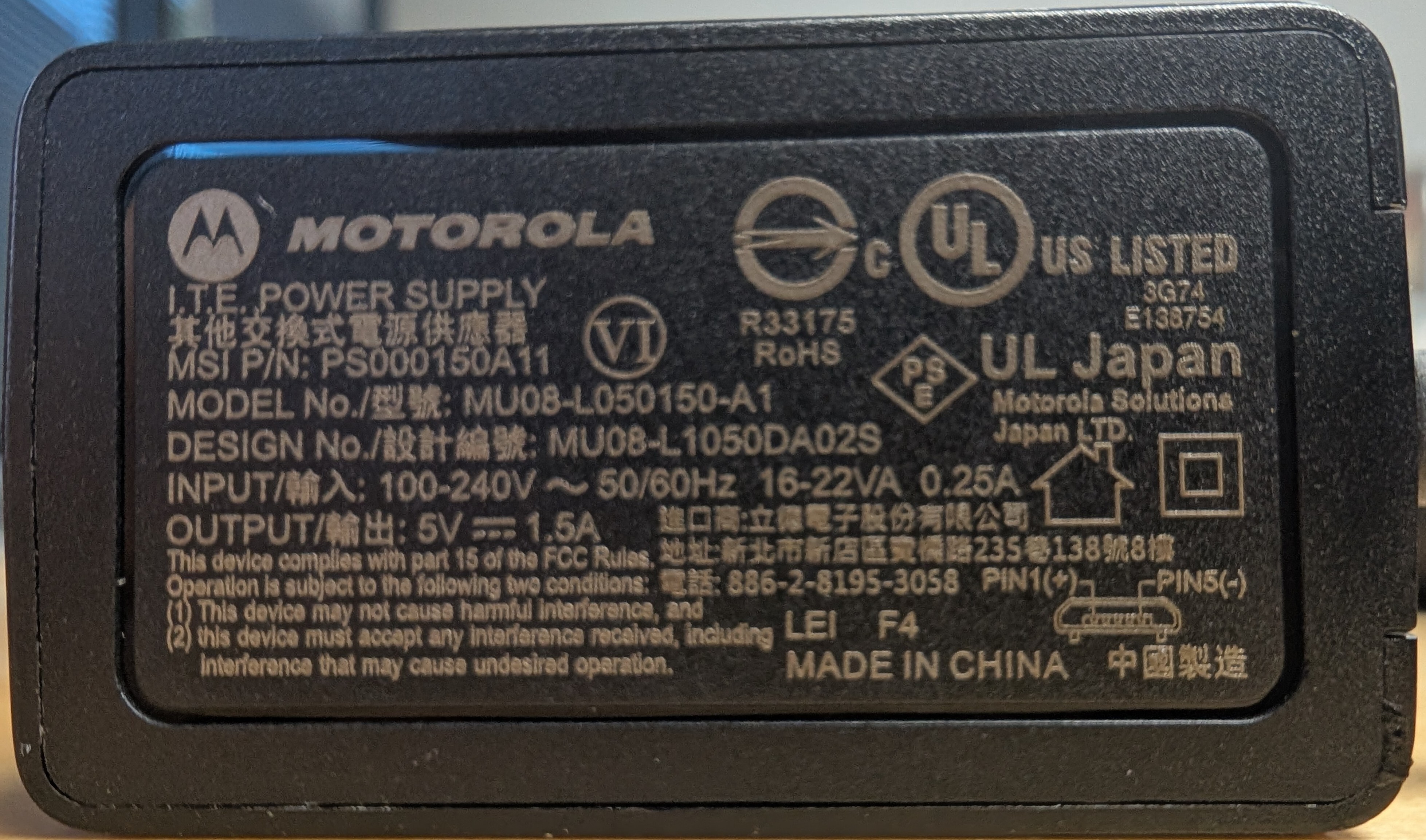
| PS000150A11 | Model MU08-L050150-A1 | 100–240V AC, 50/60Hz, 0.25A | 5V DC, 1.5A | Micro-USB wall charger for the Motorola TLK 100 and other specifically approved devices. |
| PA-55B | AAJ71X002 | Verify the adapter label | 16V DC, 1A | Not interchangeable with the 5V PA-55C. |
| PA-55U | AAJ71X504 | Verify the adapter label | Verify the adapter label | Do not assume compatibility from the PA-55 name alone. |
PA-55B and PA-55C are not the same
The similar model names can be misleading. The PA-55B AAJ71X002 outputs 16V DC, while the PA-55C AAJ71X003 outputs 5V DC. Connecting a 16V adapter to equipment designed for 5V may damage the radio or charger.
Identify the Adapter by Its Label
The highlighted information to look for is the Motorola part number and the OUTPUT rating. The following are photographs of actual adapter labels.
Frequently Asked Questions
Does PS000227A11 replace 25009298001?
Yes. PS000227A11 is the newer Motorola replacement for 25009298001. Both are 5V DC, 1A Micro-USB power supplies.
Is PS000150A11 the same as PS000227A11?
No. PS000150A11 is rated at 5V DC, 1.5A, while PS000227A11 is rated at 5V DC, 1A. Order the part number approved for your Motorola device.
What is the difference between 500mA, 1A, and 1.5A?
These numbers describe the maximum current available from the adapter. A 500mA supply provides 0.5 amp, a 1A supply provides 1 amp, and a 1.5A supply provides 1.5 amps. Matching the voltage alone is not enough to confirm compatibility.
Can I replace a 1A adapter with a 1.5A adapter?
Do not substitute an adapter based only on its higher current rating. The Motorola part number, voltage, connector, wiring, and approved charging application must also match.
Why does the label show AC input and DC output?
The INPUT line describes the AC electricity received from the wall outlet. The OUTPUT line describes the lower-voltage DC electricity supplied to the radio or charging equipment.
Still Not Sure Which Adapter You Need?
Send HiTech Wireless a clear photograph of the entire adapter label and the equipment being powered.
Ask HiTech Wireless